BUY SanDisk Ultra Dual 32GB USB 3.0 OTG Pen Drive (Gold)

Showing posts with label PC. Show all posts

Thursday, July 26, 2018

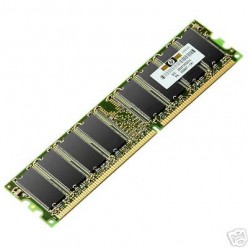
How to clean your RAM chip


RAM chip

Cleaning of RAM chip

Here's a way to solve a problem related to computers. Sometimes, a computer refuses to start and asks to insert a booting device to boot. Sometimes this happens when the RAM chip doesn't work because it may be just loosely fitted or covered with dust. Well, actually there is no need to call in a computer
serviceman and ask him to repair it. Here's a way to solve that problem. Just follow these simple steps and you can save money spent on the RAM chip and time needed for a repairman to come and repair your computer. It can also help you learn to clean your RAM chip if it's dusty.
1. If there are any gadgets or devices that are connected to the CPU like pen drives, USB data cables, etc., remove them. Switch off your computer and remove the main power plug from its socket on the wall.

Wednesday, June 27, 2018

How to Take Good Care of Your Laptop Computer

Currently laptops are already a daily necessity for someone starting from office workers, students, students, employers and even children. Many things can be done with laptops, such as typing, watching, editing, playing games and more. In addition, the laptop also has several advantages over computers. Excess laptop is a small form and can be inserted into the bag so it can be used anywhere and anytime.

Many people who use laptops do not comply with the procedure. For example, pressing the keyboard with a very strong dam turn off the laptop by pressing the power button is very long. Many people ignore the health and safety of their own laptops. Laptop health also needs to be maintained properly like human health. If the laptop is sick, then users will try to cure it

Wednesday, June 13, 2018

Optimize Windows 7 for a Fast PC and Better Performance

8 general and essential tips to optimize Windows 7 and have a pc always fast and without slowdowns

No matter what version of Windows is used: the computer, after a few months of regular use, slows down to make normal operations impossible.

To keep the PC in shape we will have to apply a regular and automatic maintenance, which will make the PC as fast as newly formatted regardless of the number of programs already installed.

All this applies to any version of Windows that we are using: whether we have remained faithful to Windows 7 we can optimize performance and have a fast PC with some targeted interventions such as those described below.

Why Update your smartphone or PC

Hello, people in this post we will talk about why one should update their smartphone or PC and we will also debunk some update myths.So, let's get started with the update myths and then i will tell you why one should update their smartphone or PC.

Myths -

1. System Updates consume very much mobile data or internet connection

So, some people will say its not a myth but i will say its a false belief among many smartphone

Sunday, May 27, 2018

MX player for PC and Laptop ( Latest Version 2018 )

MX player for PC and Laptop: MX player is a great video player which is being utilized all around. This pc video player is made out of with cutting-edge equipment increasing speed and caption bolster with better stable and the video quality which makes it the most favored and first decision of content clients. 

MX player is the primary Android video player which is supporting the multi-center disentangling. MX player has the element to help relatively every record organize including 3gp, Avi, DivX, mkv, mp4, MPEG, MOV, WebM, WMV and so forth. It is the best media player for the Android sweethearts with straightforward and rich highlights.

Tuesday, April 24, 2018

How to connect LYF phone to PC or laptop

To connect LYF phone internet to laptop or PC you need a USB data cable, driver software and a data pack. Driver software link may be added in this page if requested via comment because I have already mentioned them in another article, I don't want to repeat again and again. Once the driver software is installed, proceed to below steps:

Note: If your LYF mobile doesn't have "USB tethering" option in the settings then use Wi-Fi hotspot option and use a WiFi adapter in the PC or in Laptop to avail internet access.